Many advertisers open Events Manager and suddenly notice Pixel events coming from domains they do not recognize.
That usually creates panic. Teams assume their ad account was hacked or the Pixel was stolen.
In most cases, the issue is less dramatic, but it still matters for campaign performance.
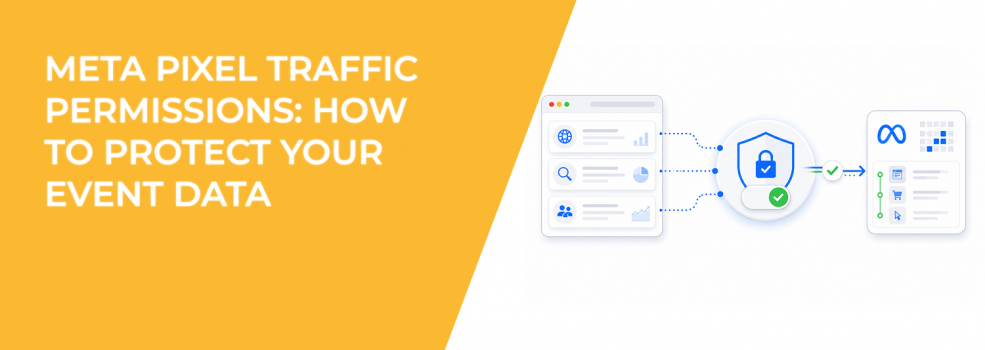
Meta Pixel traffic permissions exist to control which domains are allowed to send events through your Pixel. Without those controls, your event data can become noisy, inaccurate, or harder to trust during optimization.
Why Unknown Domains Appear in Events Manager
A Meta Pixel ID is public information once installed on a website. Anyone can technically copy that Pixel ID and place it on another site.
That does not give them access to your ad account, but it can send unwanted events into your Events Manager.
There are also legitimate reasons unfamiliar domains appear. Partner integrations, third-party tracking tools, redirect systems, and iframes can generate traffic from domains you do not immediately recognize.
For example, an e-commerce store using a checkout partner may suddenly see purchase events tied to a different domain during redirects.
This is why blindly blocking every unfamiliar domain can create tracking problems.
How Bad Pixel Traffic Affects Campaign Performance
Pixel optimization depends on clean signals. If unrelated domains send low-quality or fake activity through your Pixel, Meta’s algorithm can learn from the wrong behavior.
That problem often appears gradually inside Ads Manager.
You may notice:
- CPA increasing without obvious audience changes.
- Retargeting audiences growing unusually fast.
- Purchase events rising while actual sales remain flat.
- Lookalike Audiences becoming less accurate over time.
The algorithm does not know which events are “good” or “bad.” It only learns from the data it receives.
That is why traffic permissions matter more than many advertisers realize.
Allow Lists vs Block Lists: Which Is Better?
Meta allows advertisers to create either:
- An allow list, where only approved domains can send events.
- A block list, where specific domains are prevented from sending events.
You can only use one system at a time.
Meta generally recommends allow lists because they provide tighter control. Instead of chasing suspicious domains after they appear, advertisers approve only the domains they trust.
This usually works best for brands with a small number of websites or landing pages.
Block lists make more sense when businesses intentionally use many domains, microsites, partner pages, or external checkout systems. In those setups, manually approving every domain may become difficult.
Why Some Advertisers Accidentally Block Their Own Events
Traffic permission mistakes often happen after new integrations or website changes.
A business launches a new checkout flow, changes landing page software, or installs a third-party booking tool. Suddenly, events stop appearing correctly because the new domain was never added to the allow list.
This usually shows up as:
- Missing purchase events.
- Lower attributed conversions.
- Retargeting audience drops.
- Learning phase instability after website updates.
If you use redirects, embedded forms, iframes, or partner integrations, review all domains involved before changing permissions.
A proper Facebook Pixel setup and optimization process should include regular domain audits.
How Traffic Permission Alerts Work
Meta automatically monitors for new domains sending events through your Pixel.
If suspicious or unfamiliar traffic appears, Meta may:
- Send email notifications to people with full account control.
- Show alerts inside Diagnostics in Events Manager.
- Recommend reviewing or updating traffic permissions.
Only users with the correct permissions can manage allow lists or block lists. That includes business admins, Pixel owners, or users with campaign management permissions.
This system helps advertisers catch tracking problems before optimization quality drops.
Why Subdomains Matter
Meta applies permissions at the top-level domain level.
If you add “domain.com” to an allow list, Meta also includes subdomains like:
- m.domain.com.
- shop.domain.com.
- checkout.domain.com.
That simplifies management, but advertisers still need to review redirect paths carefully. A missed subdomain can quietly break conversion tracking after a site update.
Traffic Permissions Do Not Control Ad Placements
This causes confusion for many advertisers.
Pixel traffic permissions only control which domains can send events into Events Manager. They do not control where ads appear across Meta placements.
Publisher allow lists and placement controls are separate systems entirely.
That distinction matters because some advertisers mistakenly think Pixel block lists protect brand safety. They do not.
How LeadEnforce Supports Cleaner Optimization Signals
Traffic permissions improve the quality of event data entering Meta’s optimization system. They do not improve audience quality before the click.
LeadEnforce helps advertisers strengthen that earlier stage by building high-intent audiences from Facebook groups, Instagram followers, engagers, and social profile data.
When strong audiences combine with cleaner Pixel signals, Meta usually optimizes campaigns more efficiently. That often leads to more stable CPA and better lead quality during scaling.
If your reporting already feels inconsistent, this guide on marketing data mistakes that skew results explains several common causes.
You can also review this article about clean marketing data for better ads for broader tracking hygiene practices.
Final Takeaway
Meta Pixel traffic permissions help advertisers protect optimization quality by controlling which domains can send events into Events Manager.
Without those controls, poor-quality or unfamiliar traffic can weaken attribution, distort retargeting pools, and confuse Meta’s delivery system.
Most advertisers should use allow lists whenever possible. Cleaner event sources usually produce cleaner optimization signals, especially in larger accounts scaling multiple campaigns at once.