Meta Security Center is not just a place to check after something goes wrong.
For advertisers, it should be part of campaign operations.
A weak security setup can stop campaigns, delay agency work, interrupt optimization, expose budget, and create access problems that look like performance issues. When the wrong people still have access, the right people lack access, or two-factor authentication is not enforced, campaign execution becomes fragile.
That fragility costs money.
What Meta Security Center Is For
Meta Security Center is where businesses manage security-related features inside Meta Business Suite.
For advertisers, the most important point is simple: Security Center helps protect the business portfolio and the people who manage it.
That protection matters because Meta advertising depends on continuous access. A campaign manager needs to adjust budgets. An agency needs to launch tests. A founder needs to approve access. A finance contact may need to manage billing. If access breaks, paid social work slows down immediately.
Security Center is also connected to practical risk-reduction actions such as reviewing inactive users, removing users without two-factor authentication, and addressing inactive or risky business assets.
These actions may sound administrative. In reality, they protect campaign continuity.
Why Security Settings Affect Campaign Performance
Paid social campaigns need stable execution.
A campaign can have strong creative, a relevant audience, a good landing page, and a clear offer. But if the account is compromised, restricted, or blocked by access issues, none of that matters.
Security problems can interrupt performance in several ways.
First, campaigns may stop spending. If access is restricted or an account is flagged, active campaigns can lose delivery momentum.
Second, optimization slows down. If the media buyer cannot access the account, poor-performing ads keep running or winning tests do not get scaled.
Third, learning can be disrupted. Meta campaigns rely on recent conversion signals. If campaigns stop or are rebuilt in a panic, learning becomes less stable.
Fourth, budget can be exposed. Unauthorized users, inactive admins, or weak login practices can create spend risk.
Security Center does not optimize ads for you. But it helps protect the conditions required for optimization to happen.
Business Impact
The impact of poor security rarely appears as a neat line item in reporting.
You may not see a metric called “CPA increase from inactive admin risk.”
Instead, the damage appears across campaign operations.
A restricted account can delay spend during a product launch. A missing full-control user can block an agency from getting the access it needs. A former employee with lingering access can create governance risk. A team without two-factor authentication can expose the ad account to unauthorized login attempts.
These issues can affect:
- CPC when campaigns lose stability and re-enter testing.
- CPA when optimizations are delayed.
- CAC when acquisition systems pause or restart inefficiently.
- ROAS when high-performing campaigns lose momentum.
- Lead quality when warm retargeting audiences decay during downtime.
- Budget allocation when teams duplicate campaigns in the wrong account.
- Sales volume when campaigns miss time-sensitive demand windows.
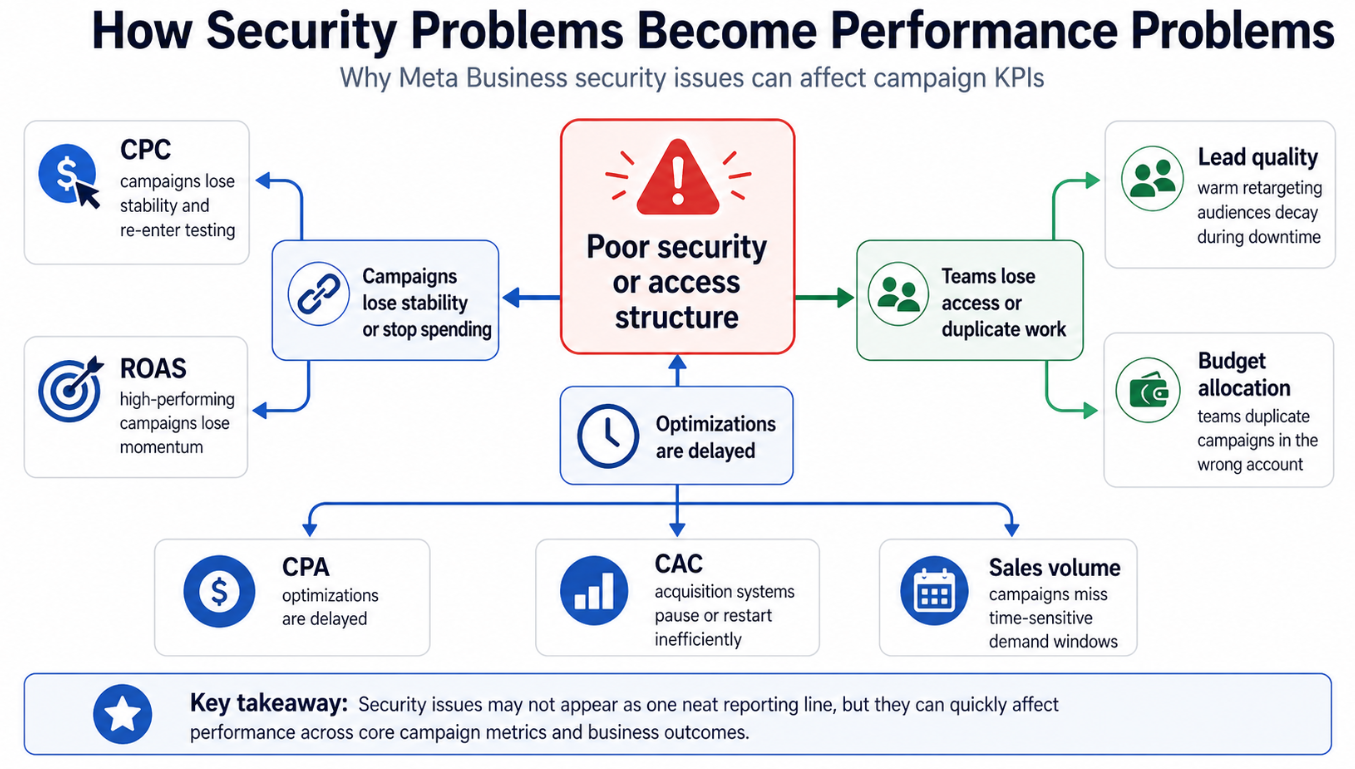
Poor security rarely appears as one clean reporting metric, but its effects can spread across CPC, CPA, CAC, ROAS, lead quality, budget allocation, and sales volume
The key point is that security issues are not separate from performance. They can become performance issues quickly.
Typical Scenarios Where This Applies
An Agency Onboards a New Client
The agency receives partial access, but no one knows who has full control of the business portfolio.
Campaigns are planned. Audiences are ready. Creative is approved. But the agency cannot access the correct assets or confirm the security status of the portfolio.
The launch slows down before media buying even starts.
A Former Employee Still Has Access
A business removes an employee from internal systems but forgets to review Meta Business Suite access.
That person may still have access to Pages, ad accounts, or business assets. Even if nothing bad happens, the business is carrying unnecessary risk.
A routine Security Center review helps catch this before it becomes a serious problem.
A Startup Has Only One Admin
Many startups build their Meta setup quickly.
One founder creates the business portfolio, runs the first ads, adds a freelancer, and moves on. Months later, the company starts scaling, but only one person has full control.
If that person loses access, leaves the company, or gets locked out, campaign execution can stall.
Security Center should be used before growth depends on one fragile access point.
A B2B Team Wants to Test Better Audiences
A B2B lead-generation team may have strong audiences built from LinkedIn professional data, Facebook communities, Instagram profiles, or custom social-profile data.
But high-intent audiences only help if the team can activate them.
If the ad account, Page, dataset, or partner access is blocked by poor security structure, the audience strategy sits unused.
An SMB Works With Multiple Freelancers
Small businesses often work with freelancers for creative, media buying, reporting, and landing pages.
Without a structured security process, permissions can become messy. Some people may have too much access. Others may not have enough. Nobody may be responsible for reviewing inactive users or enforcing two-factor authentication.
That creates both security risk and campaign management friction.
Risks and Considerations
Security actions should not be handled carelessly.
Removing users can protect the account, but it can also disrupt campaigns if responsibilities are not reassigned first. Before removing a user, confirm whether that person manages campaigns, billing, reporting, audiences, or partner access.
Be especially careful with full-control users. If the only person with full control is removed or loses access, the business may struggle to manage the portfolio.
Two-factor authentication is important, but rollout should be communicated clearly. If an agency, freelancer, or internal team member is suddenly blocked, campaign work can pause during a critical period.
Advertisers should also avoid treating Security Center as a compliance guarantee. It helps reduce risk inside Meta Business Suite, but it does not replace internal security policies, legal review, privacy processes, strong creative QA, or landing page checks.
Finally, do not blame every performance issue on security. If campaigns are underperforming, still review audience fit, creative quality, offer strength, conversion tracking, landing page experience, and budget structure.
Security protects campaign execution. It does not replace campaign strategy.
Prerequisites and Dependencies
Before Security Center can support paid social performance, the business needs a few foundations.
The business portfolio should be organized. The correct Page, Instagram account, ad account, domain, data source, and partners should be connected and understood.
At least two trusted people should have appropriate administrative control. This reduces dependency on a single login or single employee.
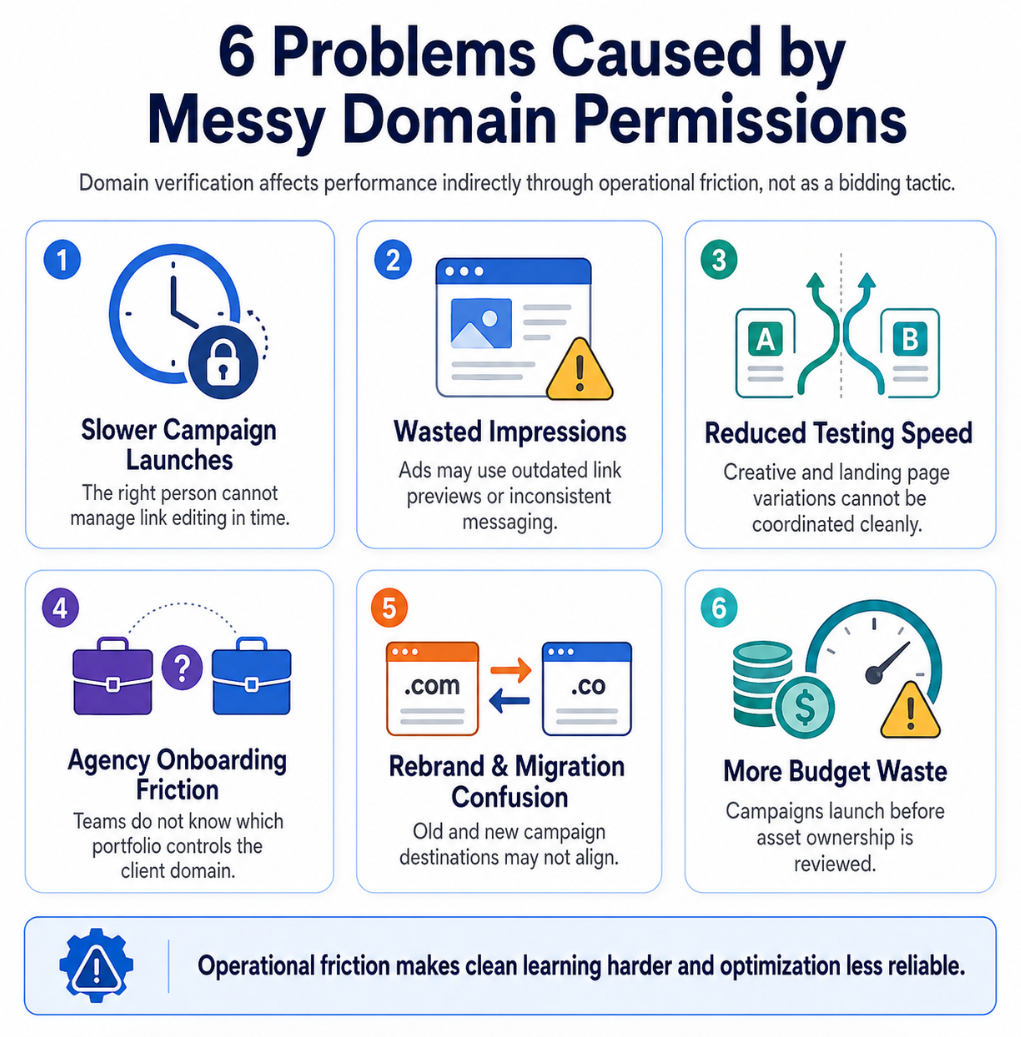
Having at least two trusted people with appropriate administrative control reduces the risk that one lost login, locked account, or departing employee stalls campaign execution
Every active user should have a clear role. A media buyer, finance contact, designer, analyst, founder, and agency partner do not need identical permissions.
The campaign team should also have a clean operating plan: campaign objective, budget range, success metrics, audience strategy, conversion tracking, and landing page ownership.
Security works best when it supports a clear campaign system. If the account structure is messy, Security Center may surface symptoms, but the business still needs to clean up the underlying asset and access model.
How LeadEnforce Helps
LeadEnforce does not replace Meta Security Center.
It does not enforce two-factor authentication, remove inactive users, recover restricted accounts, or repair Meta permissions.
LeadEnforce helps on the audience-quality side of campaign performance.
Once Security Center and business portfolio access are under control, advertisers still need relevant audiences to test. LeadEnforce helps build high-intent audiences from Facebook groups, Instagram profiles, followers, engagers, LinkedIn professional data, and custom social-profile data.
This matters because security protects the account, but audience quality determines whether the account is used efficiently.
For example, an agency can secure client access first, then use LeadEnforce to build competitor, community, or niche-interest audiences for campaign testing. A B2B team can reduce broad targeting guesswork by building audiences around professional and social-profile signals. A startup can move faster by testing audience segments that already show relevance instead of waiting for long periods of pixel data.
The practical sequence is: secure the account, clarify access, then test better audiences.
Practical Recommendations
Review Security Center before major campaign launches.
Do not wait until an account is restricted, an employee leaves, or a freelancer needs emergency access.
Start with user access. Identify who has full control, who has partial access, and who no longer needs to be in the business portfolio.
Next, check two-factor authentication. Users without strong login security create risk for the whole advertising operation.
Then review inactive users and inactive ad accounts. Old users and unused assets can become weak points, especially in accounts that have changed agencies, restructured teams, or paused campaigns for long periods.
Create a campaign access checklist. Before launching a major campaign, confirm who can manage budgets, edit ads, review reporting, approve partner access, handle billing, and respond if something goes wrong.
Keep security reviews tied to the campaign calendar. Review access before seasonal campaigns, funding-driven growth pushes, product launches, ecommerce promotions, franchise rollouts, or agency transitions.
Finally, connect security hygiene to performance analysis. If campaigns suddenly stall, do not only check creatives and audiences. Also check whether access, account status, permissions, or portfolio security changed recently.
Final Takeaway
Security Center is not just an account-protection tool.
For advertisers, it is part of paid social infrastructure.
When access is clean, users are active, 2FA is enforced, and risky permissions are reduced, campaign teams can move faster and spend with more confidence. That creates a stronger foundation for audience testing, optimization, and efficient budget allocation.
Related LeadEnforce Articles
- How to Keep Your Facebook Ad Account Safe: Top Security Tips for Advertisers — Directly relevant for advertisers who want to reduce hacked-account, permission, and budget-risk exposure.
- Fix Disabled or Restricted Meta Ad Accounts Without Losing Campaign Performance — Explains how account restrictions disrupt learning, audiences, and campaign continuity.
- How Removing Users from Meta Business Portfolio Affects Campaign Performance — Useful for understanding how user removal protects security but can disrupt active campaigns if handled poorly.
- How to Change Meta Business Portfolio Permissions Without Disrupting Campaigns — Helps advertisers adjust access safely while protecting optimization workflows.
- No Full Control of Your Meta Business Portfolio? Fix Access Before Campaigns Stall — Relevant for teams that cannot act on Security Center recommendations because portfolio-level control is missing.