If you run Facebook or Instagram ads to sell products online, you’ve probably come across Advantage+ shopping campaigns. These are now called Advantage+ sales campaigns. They’re Meta’s most automated way to drive purchases, using AI to handle targeting, placements, and budget in real time.
Instead of managing each detail yourself, you hand Meta your creative, your goal, and some data — and the system does the rest.
But while these campaigns can work well, they aren’t always the best fit. This guide will walk you through what they do, when to use them, when to avoid them, and how to make them work better.
What are Advantage+ sales campaigns?
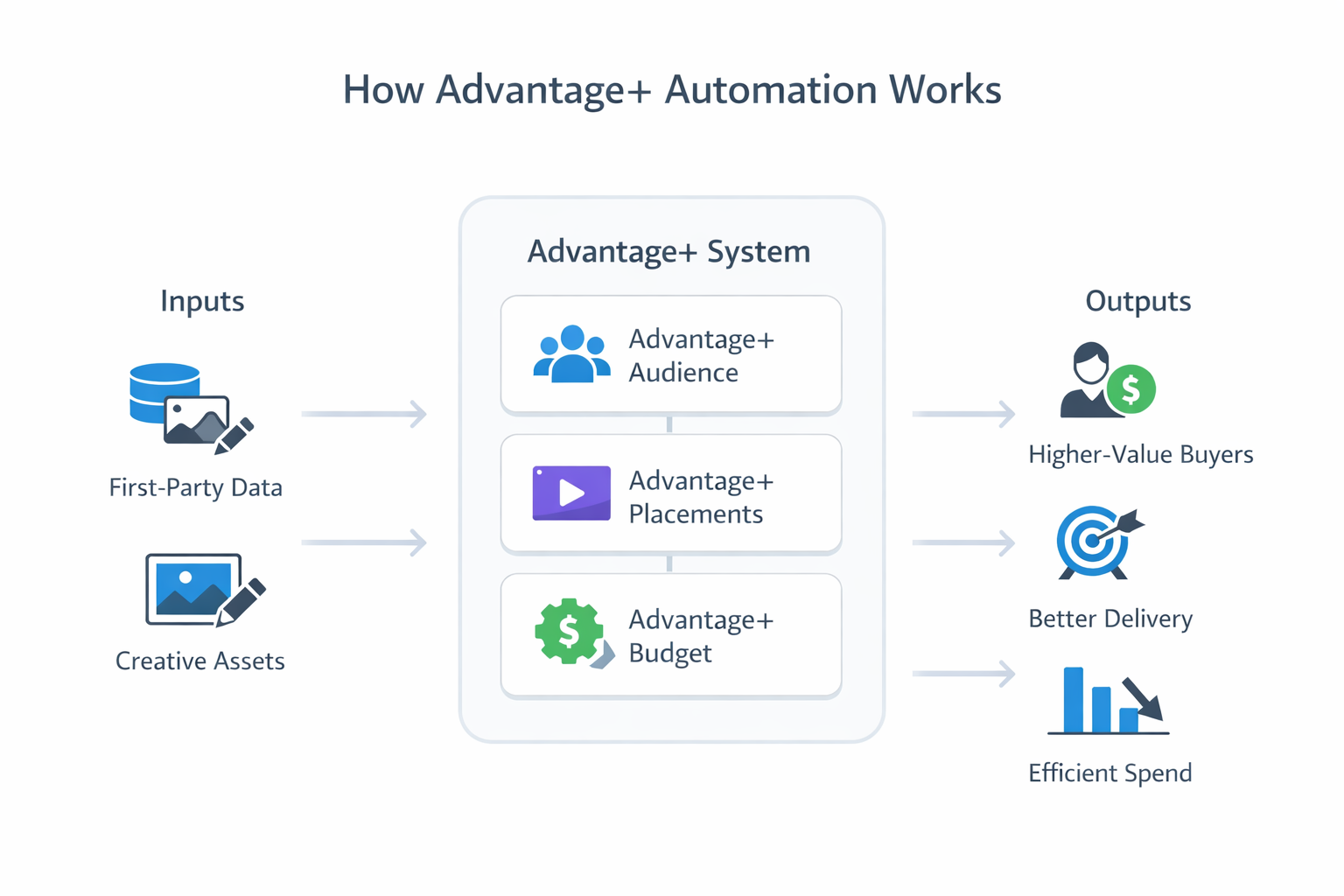
Advantage+ sales campaigns are part of the Sales objective in Meta Ads Manager. When you turn on Advantage+ audience, Advantage+ placements, and Advantage+ budget, Meta applies its full automation system to your campaign.
Key features include:
-
Automatic audience targeting: Meta chooses who sees your ads based on your website data, customer lists, and platform behavior.
-
Dynamic budget allocation: The system shifts spend in real time toward better-performing ad sets and placements.
-
Creative performance modeling: Meta predicts which ad creative is most likely to work for each user.
-
Stability during edits: Small changes to your campaign won’t reset the learning phase like they would in manual campaigns.
These features are designed to save time and improve performance. But for the system to work well, you need to feed it good inputs — especially strong creative and quality conversion data.
For more detail on how Advantage+ compares to manual setup, see Meta Advantage+ or Manual Setup? How to Make the Right Choice.
When to use Advantage+ campaigns
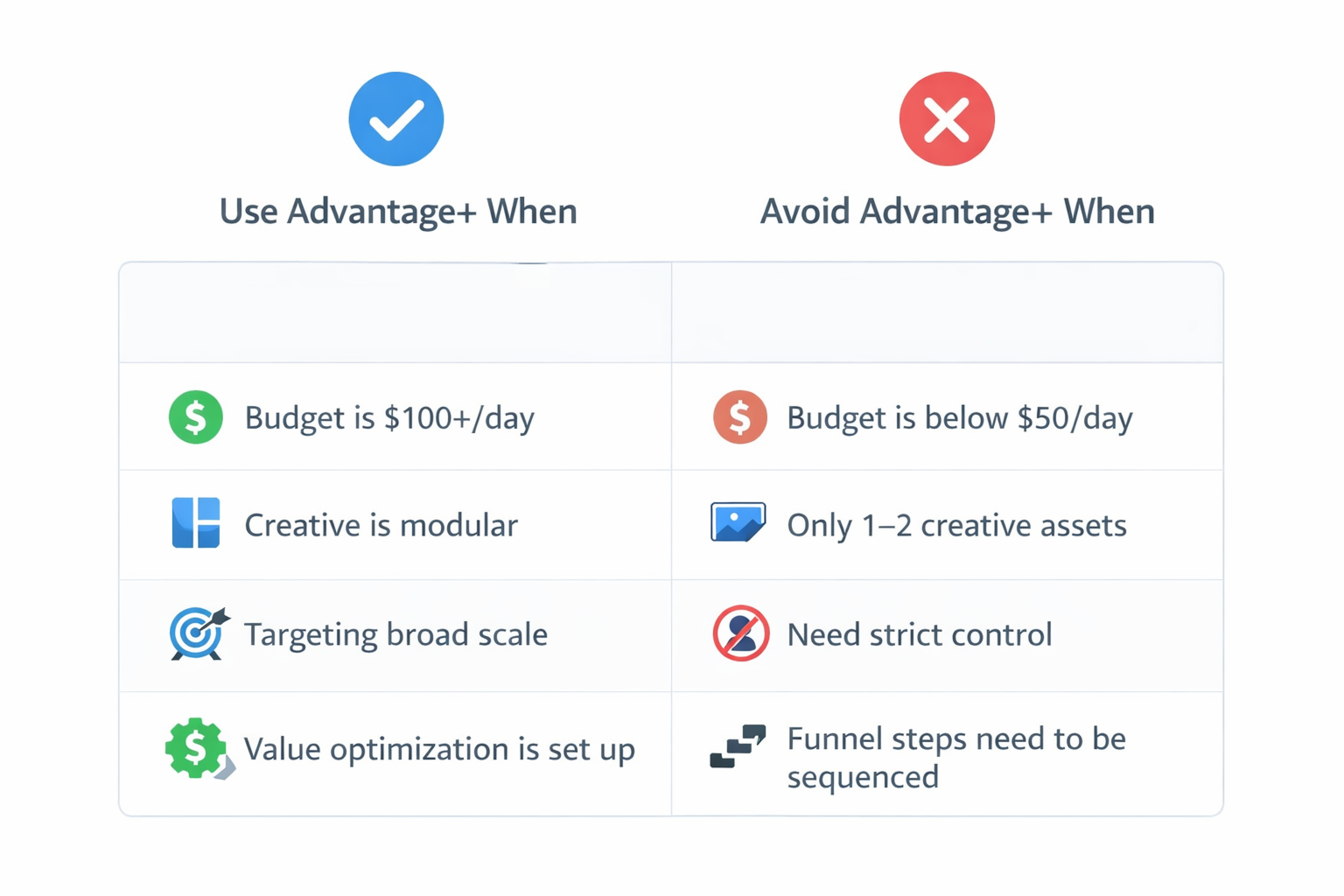
Advantage+ works best when your account has enough data, creative variation, and budget to let Meta’s system learn quickly and make smart choices.
Use them when:
You have strong conversion data
-
You’re tracking purchases (with value) through Pixel or the Conversions API.
-
You’ve uploaded customer lists or connected your CRM.
-
You have enough past conversions for the system to learn from.
Good data helps Meta understand what a successful customer looks like. Without it, the automation won't know where to optimize.
Learn how to set that up in How to Use the Meta Pixel for Better Ad Campaign Insights.
You want to scale efficiently
-
You’ve already tested audiences manually and want to grow further.
-
You’re launching into new regions or demographics.
-
You can spend $100 or more per day to allow for proper testing.
Advantage+ is good at finding new buyers. It doesn’t rely on predefined interest or lookalike groups — it learns directly from signals.
You have diverse creative assets
-
Multiple hooks like “Struggling with dry skin?” or “Why 10,000 women switched last month.”
-
Various formats — videos, carousels, static images.
-
Different value props — free shipping, expert reviews, social proof.
Creative variety gives Meta the flexibility to test combinations. The system then delivers the right message to the right person.
When not to use Advantage+ campaigns
Advantage+ isn’t always the right fit. If you need more control or are still in the testing phase, a manual setup may work better.
Avoid Advantage+ if:
Your budget is too small
Spending under $50–$100 per day may not generate enough signal volume. Without that, the system can’t learn effectively.
For more, read Campaign Optimization for Facebook Ads with Small Daily Budgets.
You need to control delivery or messaging
Product launches, niche audiences, or compliance-heavy industries often require structured campaigns. Meta’s automation can work against your goals in those cases.
Your creative is too limited
If you only have one or two assets, the system doesn’t have enough to test. You’ll be left with limited results and minimal learning.
Advanced tactics for better results
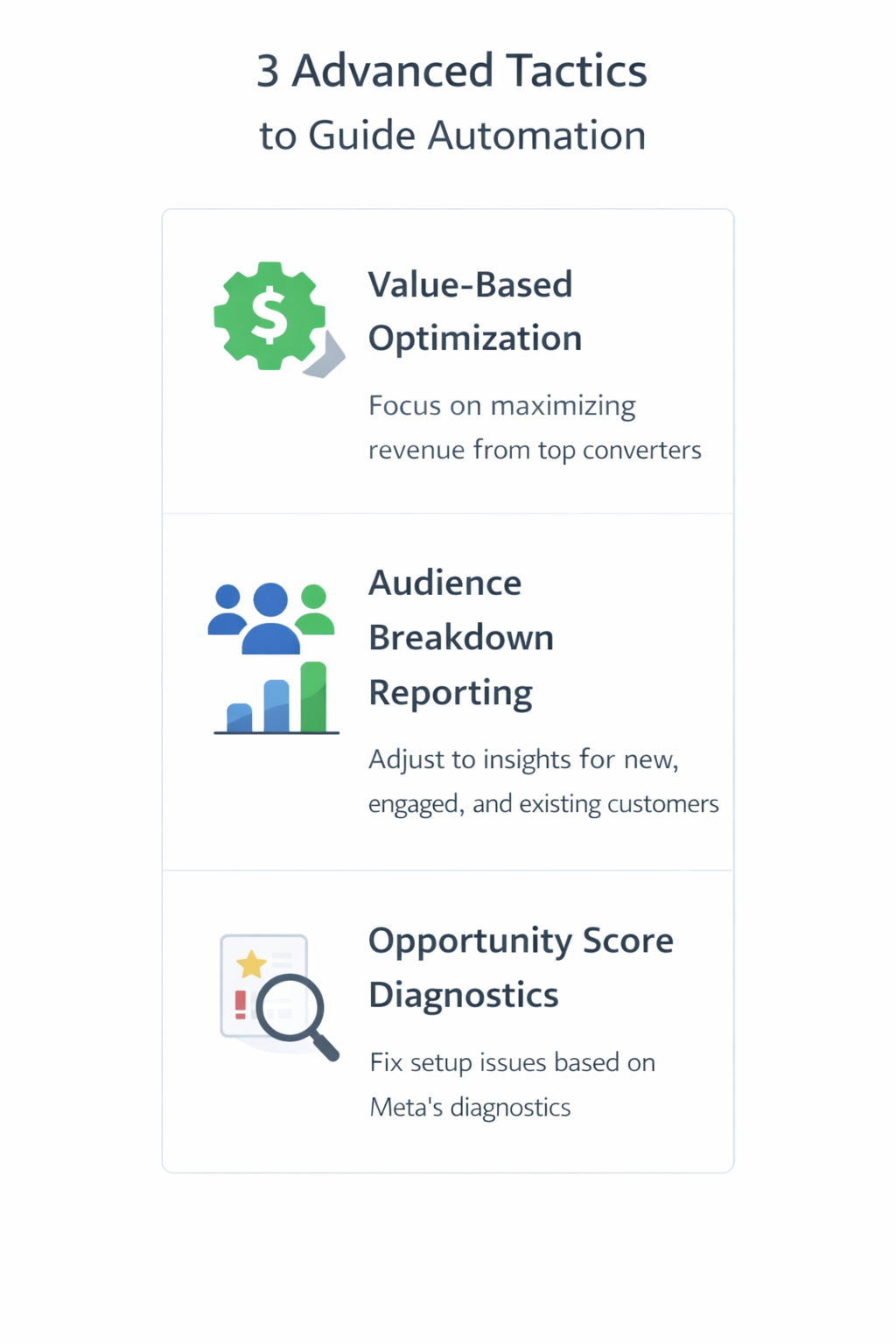
Even with automation, expert advertisers can shape how Advantage+ performs — by improving what goes in and learning from what comes out.
1. Optimize for value, not just conversions
If you pass purchase value back to Meta, the system can find buyers who spend more — not just those who click and buy.
See this breakdown on value-based audiences: How to Implement Facebook’s Value-Based Lookalike Audiences for Maximum Impact.
2. Use Meta's audience breakdown reports
Inside Ads Manager, you can break down Advantage+ results by New, Engaged, and Existing customers. These insights help you adjust creative and strategy for each group.
3. Use Opportunity Score (if available)
Some accounts now show a feature called Opportunity Score, which points out setup issues or optimization gaps. While it’s not a guarantee of better results, it helps flag problems before they waste budget.
Final thoughts: Should you use Advantage+ shopping campaigns?
Advantage+ campaigns are a powerful tool — but only when used with the right strategy.
Use them if:
-
You want to scale your online sales efficiently;
-
You have clean conversion data and creative variety;
-
Your budget supports testing and learning.
Avoid them if:
-
You’re running low-budget experiments;
-
You need control over who sees what and when;
-
You have only one or two assets and no creative variations.
For most brands, the best setup is a hybrid approach:
-
Use Advantage+ to run broad, always-on acquisition campaigns.
-
Use manual campaigns for launches, retargeting, and specific tests.
Think of Advantage+ as your autopilot — it can fly the plane, but you still need to chart the route, monitor performance, and give it strong data.