Adding someone to a Meta Business Portfolio does not automatically mean they can work on every Facebook Page inside it.
That distinction matters for paid social teams. A media buyer may be inside the business portfolio but unable to use the right Page. A creative strategist may be able to view assets but not publish. A growth lead may be responsible for campaign results but unable to coordinate Page access.
Assigning Pages to people is how you connect team members to the specific assets they need. Done well, it speeds up campaign execution. Done poorly, it creates delays, overexposure, and avoidable campaign noise.
What Is Happening When You Assign a Page to a Person?
Inside Meta Business Portfolio, people and assets are managed separately.
A person can be added to the business portfolio, but they still need access to specific assets such as Pages, ad accounts, Instagram accounts, datasets, catalogs, or business asset groups.
Assigning a Page to someone gives that person permission to work with the Page at the level you choose.
This can include partial access or broader control depending on the role. The important point is that Page access should match the job the person needs to do.
A paid social operation often includes several roles:
- Media buyers launching and optimizing campaigns.
- Creative teams reviewing ad comments and Page identity.
- Social managers publishing organic content.
- Analysts reviewing Page-related performance.
- Growth leads coordinating audience tests.
- Agency or contractor managers overseeing execution.
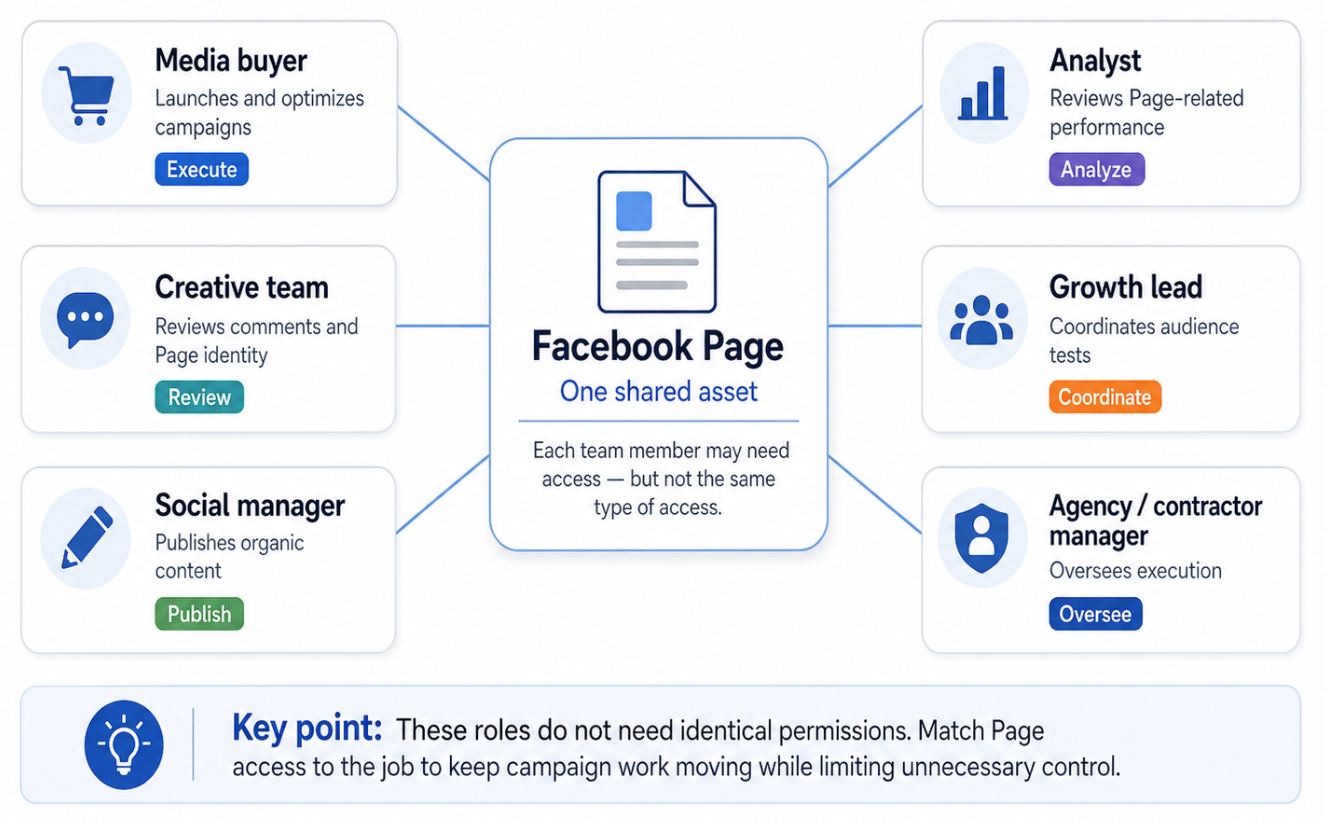
Paid social teams often involve at least six distinct roles around a Facebook Page. The goal is not to give everyone the same access, but to align Page permissions with each person’s campaign responsibility
Those roles do not need identical permissions. Assigning Page access correctly keeps campaign work moving while limiting unnecessary control.
Why This Affects Campaign Performance
Campaign performance depends on execution speed and signal clarity.
If the right people cannot access the right Page, campaigns are delayed. A test that should launch today waits for an owner, admin, or founder to approve a basic task. That slows learning and reduces the number of meaningful experiments your team can run.
If too many people have broad access, the campaign setup becomes riskier. Someone may change the wrong setting, publish from the wrong Page, remove access accidentally, or create confusion about who owns each decision.
A clean access structure helps teams test faster.
That matters when you are comparing audience segments, creative angles, landing pages, or offers. Paid social performance often improves through iteration. If permissions slow iteration, the campaign learns more slowly.
Business Impact
Misassigned Page access can affect business outcomes even when the ads themselves look technically correct.
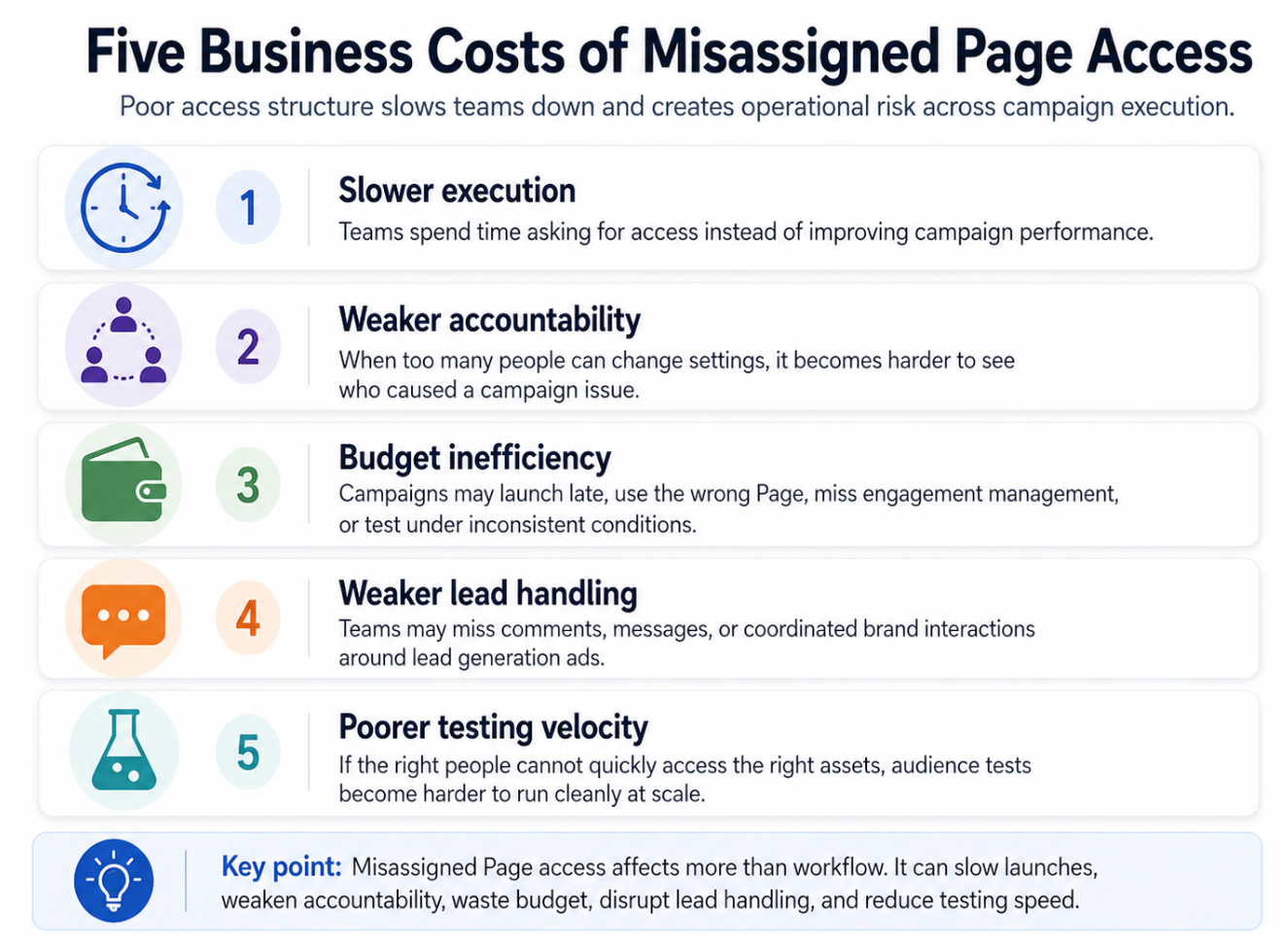
Misassigned Page access affects more than internal workflow. It can slow launches, weaken accountability, waste budget, disrupt lead handling, and reduce the team’s ability to run clean audience tests
- The first impact is slower campaign execution. Teams spend time asking for access instead of improving CPC, CPA, CAC, ROAS, or lead quality.
- The second impact is weaker accountability. If too many people can change Page-related settings, it becomes harder to understand who caused a campaign issue.
- The third impact is budget inefficiency. Campaigns may launch late, use the wrong Page, miss engagement management, or test audiences under inconsistent conditions.
- The fourth impact is weaker lead handling. For lead generation campaigns, Page access may affect how teams monitor comments, respond to messages, or coordinate brand interactions around the ad.
- The fifth impact is poorer testing velocity. A team that cannot quickly assign the right people to the right assets will struggle to run clean audience tests at scale.
Typical Scenarios Where This Applies
A startup adds a growth marketer to the business portfolio
The marketer is responsible for Meta Ads testing but cannot access the Page used in campaigns. The result is a bottleneck: they can plan campaigns but cannot execute properly.
An agency account manager needs Page-level visibility
The agency may have partner access, but specific team members still need the correct asset assignment. Without that, campaign management depends on one person inside the agency.
A creative team needs Page access but not full control
Creative strategists may need to review comments, understand Page identity, or coordinate organic and paid messaging. They likely do not need full control of the Page.
A B2B lead generation team splits responsibilities
One person manages audiences, another manages creative, and another analyzes lead quality. Each person needs access aligned with their role, not broad access by default.
An ecommerce team runs campaigns across multiple Pages
If the brand uses different Pages for regions, products, or markets, assigning the wrong Page can create reporting confusion and customer trust issues.
Risks and Considerations
- The main risk is over-permissioning. Giving everyone full control may feel convenient, but it increases operational and security risk.
- Another risk is under-permissioning. If a person cannot perform the work they are responsible for, the campaign slows down and optimization becomes reactive.
- A third risk is role confusion. People should know whether they are responsible for campaign launch, audience testing, reporting, creative review, community management, or asset administration.
- A fourth risk is assuming Page access is enough. A person may also need ad account, Instagram account, dataset, catalog, or lead form access depending on the campaign.
- A fifth risk is ignoring campaign fundamentals. Better permissions do not fix a poor offer, weak creative, low-quality audience, bad landing page, or unreliable conversion tracking.
- Advertisers should also consider compliance when using custom audiences or external audience tools. Access structure should support responsible campaign execution, not bypass platform rules.
Prerequisites and Dependencies
Before assigning Page access, make sure the foundation is clear.
You need:
- The Facebook Page connected to the correct business portfolio.
- People added to the business portfolio.
- Clear role definitions.
- A list of assets each person needs.
- A decision on partial access versus full control.
- A clean campaign objective.
- Reliable conversion tracking.
- Enough budget to support testing.
- A strong offer and landing page.
- Clear success metrics.
- A process for removing access when roles change.
The better your role structure, the easier it is to assign access without exposing too much.
How LeadEnforce Helps
LeadEnforce helps improve the audience strategy that team members execute once Page access is assigned.
A growth marketer with the right Page and ad account access can use LeadEnforce to build custom audiences from Facebook groups, Instagram followers and engagers, LinkedIn professional data, and custom social-profile sources.
A media buyer can test these audiences against broader Meta targeting. A creative strategist can review the audience source and adjust messaging to fit the audience’s interests, professional context, or community behavior. A B2B demand generation team can align audience segments with ICP criteria before budget is deployed.
LeadEnforce does not assign permissions, manage Meta roles, or configure tracking. It helps teams make better use of their campaign access by improving the relevance and intent level of the audiences being tested.
Practical Recommendations
Assign access based on campaign responsibility. Do not grant full control just because someone is involved in marketing.
Separate execution roles from control roles. A media buyer may need campaign execution access, while a business owner or senior operator keeps broader control.
Review Page access before major tests. If you are launching a new audience test, verify that everyone involved can access the correct Page and related assets.
Use least-necessary access. Give people what they need to do their work, not everything available.
Create a simple access map. Document each person, their role, their assigned assets, and the reason they need access.
Audit access after team changes. Remove former employees, freelancers, or contractors who no longer support the campaign.
Connect permissions to testing workflows. If you use LeadEnforce audiences, make sure the team member responsible for activation can work in the correct ad account and Page structure.
Final Takeaway
Assigning Pages to people is not just internal housekeeping. It determines whether your campaign team can move quickly, safely, and clearly.
The right Page access structure reduces launch delays, protects business assets, improves accountability, and gives marketers a cleaner foundation for high-quality audience testing.
Related LeadEnforce Articles
- How to Add People to Your Meta Business Portfolio — A direct companion for adding team members before assigning them to specific assets.
- How Asset Access in Meta Business Portfolio Affects Campaign Execution and Performance — Explains why asset-level access affects campaign execution and optimization.
- Business Asset Permissions in Meta: Why Access Structure Impacts Campaign Performance — Useful for understanding how permissions influence campaign control and performance.
- Meta Business Portfolio Roles: How Access Structure Slows Down Campaign Execution — Relevant for diagnosing role-related bottlenecks in paid social teams.
- Adding People to Business Asset Groups: Give Paid Media Teams Access Without Overexposing Assets — Helpful when access should be organized across multiple assets or teams.